

Introduction
Running a WordPress blog takes more than publishing articles. You need to research topics, write helpful content, optimize pages for search engines, create attractive images, and keep your website updated. When you manage everything yourself, these tasks can quickly become overwhelming.
The good news is that you do not need an expensive collection of AI subscriptions to get started. Several AI tools offer free plans or free features that can help you work more efficiently without sacrificing editorial quality.
The best free AI tools for WordPress bloggers in 2026 can assist with everything from brainstorming article ideas to improving readability, designing featured images, and finding SEO opportunities. However, not every tool is suitable for every blogging task, and free plans often come with usage limits.
In this guide, you will discover seven useful AI tools, what each one does best, how to use them with WordPress, and which options make the most sense for beginners, niche website owners, and established publishers.
The goal is simple: help you build a practical blogging workflow without spending money on tools you do not actually need.
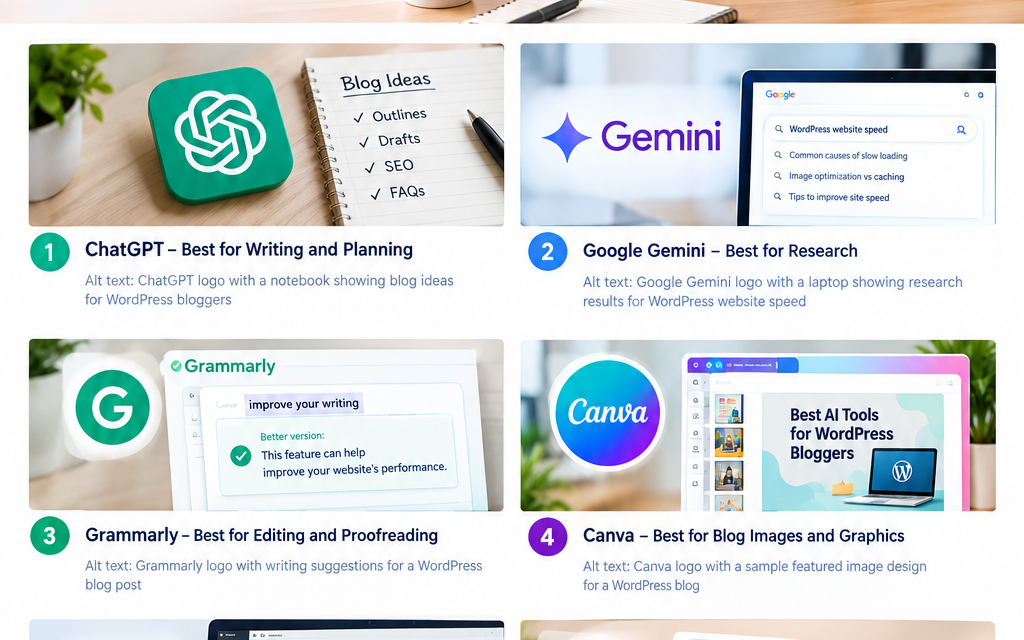
1. ChatGPT — Best Free AI Tool for Writing and Content Planning
Best overall. ChatGPT is a versatile starting point for bloggers who need help with article outlines, headline ideas, explanations, content revisions, and editorial planning. Free access is available; usage limits apply.
For a WordPress blogger, one of the biggest challenges is turning a topic into a well-organized article that answers readers’ questions. ChatGPT can help you break that process into manageable steps. Rather than asking it to write an entire article in one go, use it as an assistant throughout the content creation process.
How WordPress bloggers can use ChatGPT
- Generate article ideas: Find useful angles for your niche, such as beginner tutorials, comparisons, troubleshooting guides, and product reviews.
- Build outlines: Organize an article into H2 and H3 headings before drafting.
- Improve introductions: Create a clearer opening that explains the reader’s problem and what the article will deliver.
- Simplify complicated topics: Turn technical explanations into language that beginners can understand.
- Create FAQs: Identify questions readers may ask before or after reading an article.
For example, suppose you run a WordPress website about artificial intelligence. You could ask ChatGPT to suggest 15 article ideas around free AI writing tools, then choose one based on search intent and your audience’s needs.
You can also use its web-search capability to investigate current topics. However, verify important facts against original sources, particularly when writing news, product comparisons, or articles involving prices and recent updates.
Example prompt for ChatGPT
Act as an experienced SEO content editor. Create a detailed outline for a WordPress article about free AI writing tools for beginners. Include the reader’s main problem, search intent, useful H2 and H3 headings, practical examples, limitations, and five relevant FAQs. Do not invent statistics or claim that any keyword has low competition without evidence.
What to watch out for: ChatGPT can produce incorrect or outdated information. It may also generate generic content if you provide little context. Add your target audience, firsthand observations, trusted sources, and specific requirements to improve the result.
Best for: Blog outlines, brainstorming, first drafts, content refreshes, and editorial planning.
2. Google Gemini — Best for Research and Organizing Ideas
Best for research assistance. Gemini can help you explore unfamiliar subjects, compare concepts, summarize supplied material, and develop ideas into useful article structures. Free access is available; features and limits can vary.
Research is essential when you want your blog to offer something more useful than a basic overview. Readers often need accurate explanations, current information, and comparisons that help them make decisions. Google Gemini is worth considering if your workflow involves exploring topics, reviewing source material, or generating several possible approaches to an article.
Practical ways to use Gemini
- Ask it to explain a topic for a beginner.
- Identify the major subtopics an article should cover.
- Provide source material and request a concise summary.
- Compare competing approaches or products using verifiable information.
- Turn your research notes into a logical outline.
Imagine you are preparing an article about WordPress website speed. You could use Gemini to list common causes of slow loading, explain the difference between image optimization and caching, and suggest questions to investigate before writing. You should still test technical recommendations and check documentation from the relevant software providers.
Gemini versus ChatGPT
Both tools can support research and writing. The better choice depends on the quality of the output for your specific task, the available features on your account, and how comfortably the tool fits into your workflow.
There is no need to subscribe to both immediately. Try the free versions on the same task and compare the accuracy, clarity, and editing effort required.
Best for: Topic exploration, research notes, explanations, and alternative article outlines.
3. Grammarly — Best Free AI Tool for Editing Blog Posts
Best for proofreading. Grammarly helps writers identify grammar, spelling, punctuation, and clarity issues. Its AI-assisted writing features can also help with revisions, subject to plan limits. Free writing assistance is available; advanced features may require payment.
Even a well-researched article can lose readers if it contains awkward sentences, spelling mistakes, or paragraphs that are difficult to follow. This is where Grammarly can complement an AI writing assistant. Instead of generating the entire article, use it to improve the text you have already written.
How to edit a WordPress article with Grammarly
- Check spelling and punctuation before publication.
- Review long sentences that may confuse readers.
- Replace unnecessarily complicated phrases with simpler wording.
- Check whether the tone suits your audience.
- Read the finished article yourself to catch errors that automated tools miss.
For instance, a sentence such as “The implementation of this functionality facilitates an improvement in website performance” could be rewritten as “This feature can help improve your website’s performance.” The shorter version is easier to understand and gets to the point more quickly.
Does Grammarly improve SEO?
Grammarly does not replace keyword research, search-intent analysis, technical SEO, or a content strategy. Its value is indirect: clearer writing can make your article easier to read and use.
Do not accept every suggested rewrite automatically. A tool may change your intended meaning, remove useful technical detail, or make your writing sound generic.
Best for: Proofreading, clarity, sentence-level editing, and polishing drafts before they go live.
4. Canva AI — Best for Blog Images and Featured Graphics
Best for visual content. Canva combines graphic design tools, templates, and selected AI features to help bloggers create featured images, diagrams, social graphics, and promotional visuals. A free plan is available; AI allowances and premium assets vary.
A strong article needs more than text. Its featured image, illustrations, and supporting graphics help readers understand the subject and make the page look more professional. Canva is useful because you can create these visuals without learning complicated design software.
What can Canva AI do for bloggers?
- Create layouts for WordPress featured images.
- Help generate visual concepts and supporting graphics.
- Design Pinterest pins and social media posts.
- Turn information into simple diagrams or comparison graphics.
- Resize and adapt designs for different publishing channels using available features.
For example, if you publish an article about the best free AI writing tools, you could create a featured image showing a laptop, a writing document, and a few clearly labeled tool categories. Keep the design readable at thumbnail size. Avoid placing the full article title in tiny text across the image.
How to prepare images for WordPress
- Create the image at dimensions suitable for your theme and intended placements.
- Export it in an appropriate format, such as WebP where your workflow supports it, or a compressed JPEG or PNG.
- Give the file a descriptive name, such as
free-ai-tools-wordpress-bloggers.webp. - Add meaningful alternative text when the image conveys information.
- Compress the file and check its appearance on mobile devices.
Important: Do not assume every AI-generated image is automatically free of copyright or licensing concerns. Check the tool’s current terms and avoid generating visuals that imitate protected logos or specific artists without permission.
Best for: Featured images, illustrations, social media graphics, and consistent blog branding.
5. Rank Math SEO — Best for On-Page WordPress Optimization
Best for WordPress SEO. Rank Math helps you manage important on-page SEO elements directly in WordPress, including titles, descriptions, sitemaps, and content optimization checks. A free plugin is available; some AI features and advanced functions require paid access.
Writing a helpful article is only part of the job. You also need to make sure search engines can understand the page and that its search result communicates the value of the content. Rank Math is especially useful because you can handle many SEO tasks from the WordPress editor rather than switching between several dashboards.
How to use Rank Math for a new article
- Set the focus keyword. Use your primary keyword to guide the on-page checks.
- Write a clear SEO title. Include the main topic naturally and explain what the reader will gain.
- Create a useful meta description. Summarize the article and encourage a relevant click without repeating the same keyword unnecessarily.
- Review headings and readability. Use headings to organize the article, not simply to place keywords in every section.
- Add internal links. Link to related guides that provide additional information, such as keyword research, WordPress speed optimization, and image SEO.
- Check the technical basics. Review indexing settings, canonical URLs, sitemap configuration, and any relevant schema settings.
Rank Math’s recommendations are useful as a checklist, but a green score does not guarantee rankings. Search performance also depends on relevance, competition, site quality, links, technical accessibility, and how well the article satisfies the reader.
Does Rank Math replace AI writing tools?
No. Rank Math focuses on SEO implementation, whereas tools such as ChatGPT and Gemini assist with research and writing. Some Rank Math features use AI, but you should check the current plan before relying on them.
Best for: WordPress on-page SEO, metadata, technical settings, and publishing checks.
6. Ubersuggest — Best for Keyword Research on a Budget
Best for SEO research. Ubersuggest offers keyword research, website analysis, competitor insights, and selected AI-assisted content features. Its free account has usage limits: reports and daily searches are limited.
One common mistake among new bloggers is choosing a keyword because it sounds popular, without checking whether the competition is realistic or whether the search intent matches the article. Ubersuggest can help you investigate keyword ideas and understand the broader SEO landscape before investing time in writing.
How to research keywords with Ubersuggest
Start with a broad topic such as “AI tools for bloggers.” Then explore related phrases that suggest a more specific reader need. Examples include:
- Free AI writing tools for WordPress.
- AI tools for blog post outlines.
- Free SEO tools for beginner bloggers.
- AI image generators for blog posts.
- How to optimize AI-written articles for SEO.
These are research ideas, not verified low-competition keywords. Check each phrase’s current search data, search results, and relevance to your website before selecting a target. Look at several factors:
- Search intent: Are users looking for a tutorial, a comparison, or a tool to use?
- Competition: Are the results dominated by established brands, or are smaller sites also answering the query?
- Relevance: Does the keyword fit your site’s subject and audience?
- Content opportunity: Can you offer practical examples, original testing, or clearer explanations than existing results?
- Business value: Will the article attract the audience you want to serve?
What are the limitations of the free version?
Ubersuggest’s published free-account guidance lists limits on daily searches, projects, keyword tracking, and other reports. Those limits can change, so check the current account information before planning a large research project.
For a small WordPress website, the free account may be enough to explore a few topics and monitor a limited keyword set. If you need extensive historical data or competitor research, you may eventually need another source or a paid plan.
Best for: Keyword discovery, competitor research, and deciding which article topics deserve further investigation.
7. Google Trends — Best for Discovering Timely Blog Topics
Best for trend discovery. Google Trends is a free research tool for exploring search-interest patterns, comparing topics, and spotting subjects that may deserve timely coverage. It is free to use; search interest is not the same as exact search volume.
If your WordPress website covers technology, AI, lifestyle, sports, or trending news, publishing the right topic at the right time can be an important part of your editorial strategy. Google Trends helps you see whether interest in a topic is rising, falling, seasonal, or concentrated in a particular region. Its Explore experience also includes AI-assisted trend exploration features.
A simple workflow for finding blog topics
- Open Google Trends and enter a topic relevant to your website.
- Select an appropriate country or region and time period.
- Compare related search terms.
- Review related queries and topics for additional ideas.
- Check whether the topic is relevant to your audience and whether you can produce a reliable, useful article.
- Confirm important facts through primary sources before publishing.
For example, a technology blogger might compare interest in AI writing assistants, AI image generators, and AI-powered search tools. If one topic shows growing interest, that may justify further research.
However, rising search interest does not automatically mean a keyword is easy to rank for. A trending topic may attract powerful competitors, and the interest may disappear quickly. Google Trends is also not a conventional AI article writer. It belongs on this list because discovering the right topic is often just as important as producing the content.
Best for: Timely topic research, seasonal planning, trend comparisons, and editorial calendars.
How to Choose the Best Free AI Tools for Your WordPress Blog
You do not need all seven tools to run a successful blog. The best combination depends on your publishing frequency, niche, budget, and biggest bottleneck.
| Your main task | Recommended tool |
|---|---|
| Writing and outlining | ChatGPT |
| Research and idea development | Google Gemini |
| Grammar and readability | Grammarly |
| Featured images and graphics | Canva |
| On-page WordPress SEO | Rank Math SEO |
| Keyword research | Ubersuggest |
| Trending topic discovery | Google Trends |
A practical free AI blogging workflow
Here is a simple process you can follow whenever you publish a new article.
Step 1: Find a worthwhile topic. Use Google Trends for emerging topics and Ubersuggest to investigate keyword ideas. Examine actual search results before choosing your target keyword.
Step 2: Research and draft. Use ChatGPT or Gemini to organize research notes, identify missing questions, and prepare an outline. Add your own expertise, examples, and verified facts.
Step 3: Edit the content. Review grammar, readability, accuracy, and repetition with Grammarly and your own editorial judgment.
Step 4: Create supporting visuals. Use Canva to prepare an original featured image and any diagrams that make the article easier to understand.
Step 5: Optimize and publish. Use Rank Math to review metadata and on-page SEO. Check links, images, mobile layout, and indexing settings before publishing.
After publishing, use Google Search Console to monitor impressions, clicks, click-through rate, and the queries bringing visitors to your site. These measurements help you decide which articles need better titles, stronger answers, or additional content.
How to keep your blogging workflow genuinely helpful
Google rankings should not be the only measure of article quality. Readers need accurate information, clear explanations, and a reason to trust your recommendations. To maintain those standards:
- Test tools yourself before claiming that they work well.
- Explain limitations alongside benefits.
- Cite original documentation for product features and technical claims.
- Add original screenshots, examples, or observations where possible.
- Update articles when features, pricing, or free-plan restrictions change.
- Avoid publishing large volumes of repetitive articles simply because AI makes them quick to produce.
No tool can guarantee first-page rankings, and no particular writing workflow guarantees a specific AI-detection score. Focus on originality, usefulness, factual accuracy, and reader satisfaction.
Frequently Asked Questions
1. What is the best free AI tool for WordPress bloggers in 2026?
ChatGPT is a strong all-round choice for brainstorming, outlining, drafting, and editing. However, bloggers who need image creation, keyword research, or on-page SEO should consider Canva, Ubersuggest, and Rank Math as complementary tools.
2. Can I use AI to write WordPress articles for free?
Yes. You can use free AI assistants to create outlines, prepare drafts, rewrite unclear passages, and generate ideas. Free plans may have usage limits. Review every draft for accuracy, originality, and usefulness before publishing.
3. Does Google penalize AI-generated content?
AI assistance alone does not automatically make content ineligible to rank. Google’s published guidance emphasizes helpful, reliable, people-first content and warns against generating content primarily to manipulate search rankings. The important question is whether the finished page provides genuine value. Consult Google’s guidance on AI-generated content for more information.
4. Which free AI tool is best for WordPress SEO?
Rank Math SEO is a practical starting point for on-page optimization within WordPress. Ubersuggest can help with keyword research, while Google Trends supports topic discovery. Each serves a different purpose, so choose according to the SEO task you need to complete.
5. Do I need paid AI tools to grow a WordPress blog?
No. A free workflow can be sufficient for a new or small blog. Paid tools may become useful when you need higher usage limits, more advanced research, team collaboration, or automation. Upgrade only when a specific limitation is costing you meaningful time or preventing necessary work.
Conclusion
The best free AI tools for WordPress bloggers in 2026 are the ones that solve real problems in your publishing process. ChatGPT and Gemini help with writing and research, Grammarly improves readability, Canva supports visual content, Rank Math handles on-page SEO, Ubersuggest assists with keyword research, and Google Trends helps uncover timely topics.
You can start with just three tools: one writing assistant, one SEO tool, and one design tool. Build a repeatable workflow, verify your information, and improve your articles using real reader and search-performance data.
Your next step: Choose one upcoming blog topic and take it through the workflow above. If you want to improve your results further, explore a related guide on free keyword research tools for WordPress bloggers and use it to plan your next batch of articles.